
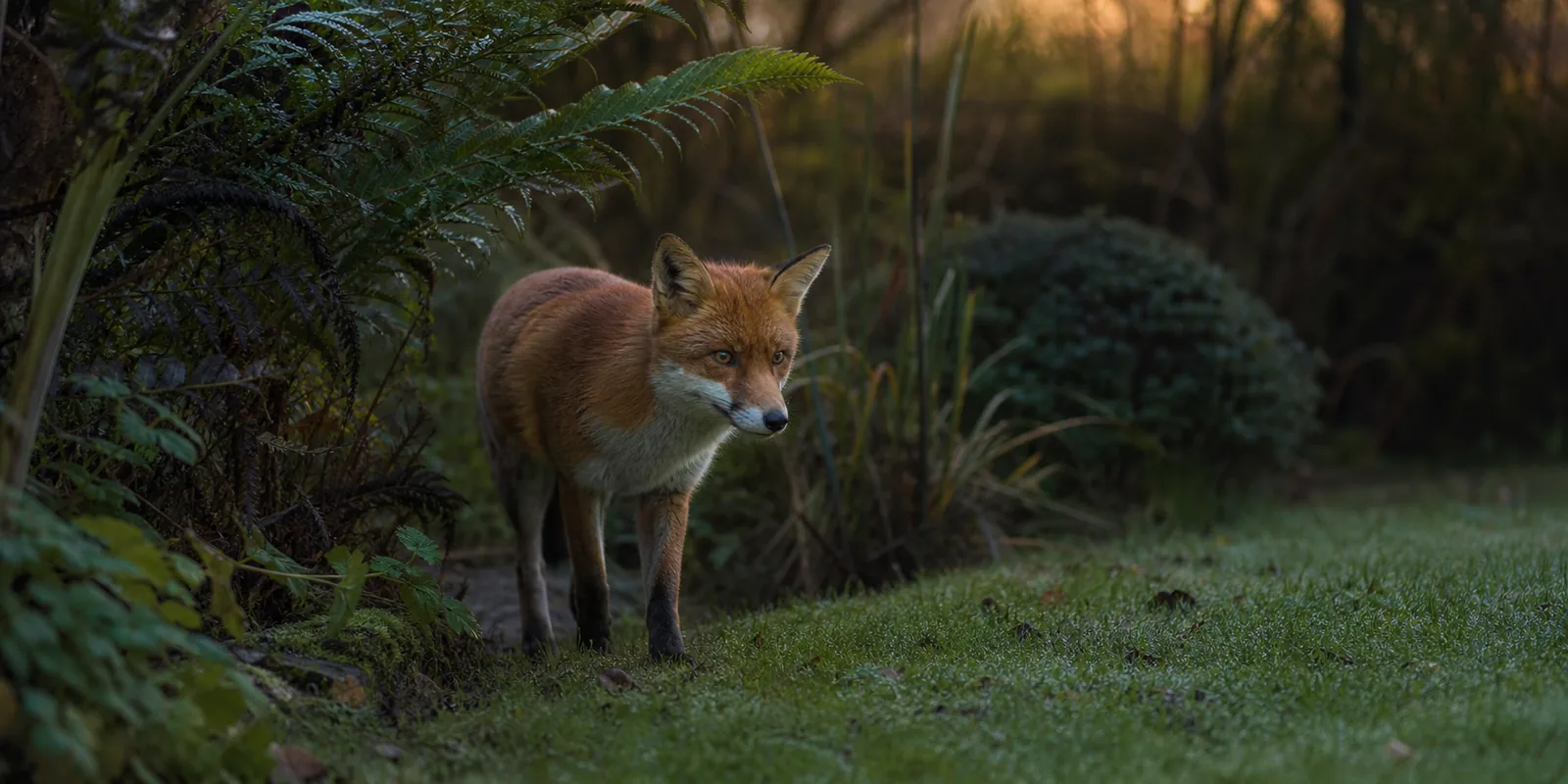
Choose the connection before the camera. NatureSpy Helarctos makes most sense for local recording in a garden corner you can visit. WildCam 3 is the better fit near the house when you want app access over your home Wi-Fi. Neither is a cellular camera.
What is the best wildlife camera for a UK garden?
There is no single best camera for every garden. Our main comparison separates local trail-camera recording from internet-connected viewing; a lower-cost, card-only option is covered below. Choose by how you will retrieve footage, whether the position has dependable Wi-Fi, and how often you can visit to check power and storage.
This is a research-based buying guide, not a hands-on comparison. Recommendations reflect manufacturer information and the setup trade-offs below; the diagrams are our own planning illustrations, not results from camera tests. Read our research method.
Pick the viewing workflow
| Product | Best for | Connection | Power and storage | Reason to skip |
|---|---|---|---|---|
| Ad NatureSpy Helarctos Solar Trail Camera | A route you can visit to retrieve recordings | Nearby phone-to-camera hotspot; not an internet connection | Integrated solar and rechargeable battery; optional four-AA backup. Card purchased separately; up to 256GB. | You want remote viewing or alerts while away |
| Ad NatureSpy WiFi WildCam 3 | Frequent app checks where home Wi-Fi reaches | Home-router connection; 2.4GHz and 5GHz listed | Replaceable 5200mAh rechargeable battery; 32GB card included, up to 128GB. Solar panel optional. | The route is beyond reliable router coverage |
What will a usable camera setup cost?
These are direct NatureSpy prices checked on , not a claim to be the lowest available prices. Select the same accessories when comparing sellers. Offers and package contents can change; confirm the selected variant and checkout total before paying.
| Setup | Camera price | Storage or power addition | Illustrative total |
|---|---|---|---|
| Helarctos with a new 64GB card | £139.99; no card in the base variant | 64GB card +£10 | £149.99; optional AA backup cells extra |
| WildCam 3, without optional solar | £129.99, including 32GB card | No extra card assumed | £129.99 |
| WildCam 3 with optional solar | £129.99, including 32GB card | Solar panel +£22.49 | £152.48 |
These totals do not budget for a separate stand, replacement consumables or improvements to your home network. If you already own a compatible card, the Helarctos card addition may not be needed. Check the required card format in the manual rather than buying by capacity alone.
Lower-cost · Card-based recording
NatureSpy Ursus: collect recordings from the card
A lower-cost option if you can visit the camera to collect footage. It has no Wi-Fi or 4G: you cannot check it remotely or receive phone alerts.
£98.50 selected bundle
Ursus camera + 64GB SD card + 10 Energizer Industrial alkaline AA batteries. No MiniPod.
Choose it if
You want to review garden visits later and can reach the camera for card and battery checks.
Skip it if
You need live viewing or alerts on your phone, or cannot visit regularly.
Before you start: fit six AA batteries; the pack leaves four spare. A mounting strap is included. To copy recordings, you need a compatible SD-card reader and viewing device, not included in this bundle. Budget for replacement batteries and check card space; NatureSpy lists automatic overwrite as “No”.
Check this Ursus bundle at NatureSpy (Ad)
Price and in-stock status checked at NatureSpy on . Confirm the selected options and delivery total before paying. Manufacturer information; not a HedgeLens hands-on test.
Three garden setups: choose before you buy
The following layouts show relationships, not measured range, field of view or recommended distances. Test framing and recording at your actual position; do not treat these planning illustrations as measured camera specifications.
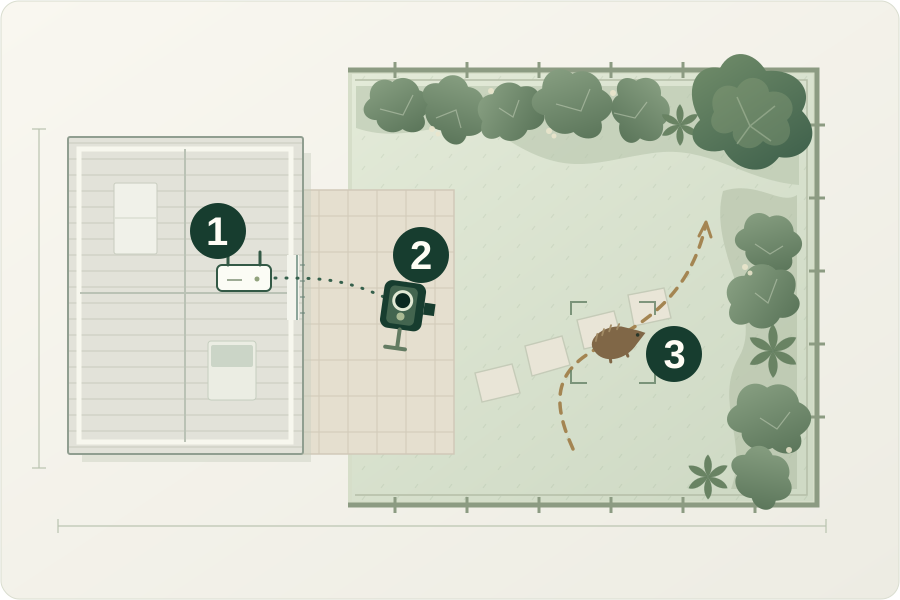
1. A regular visitor near the house
-
Home router
Test with doors closed. A signal icon alone does not confirm that recordings load reliably.
-
Garden camera
Try the position temporarily. Confirm app access before making the mount permanent.
-
Existing visitor route
Frame the crossing without blocking it. Keep the view within your own garden.
Original planning illustration. Not to scale; no measured Wi-Fi range or camera field of view. Generic camera symbol, not an exact retail product.
Connected workflow: WildCam 3 is the relevant option when you want to check a known route through the app. Start with a temporary position and verify that footage actually loads, rather than relying only on a Wi-Fi icon.
Repeat the check with the house doors closed and from the device you will use for viewing. Keep the frame within your garden. Use our garden Wi-Fi positioning checklist before deciding that a longer-range camera will solve the problem.
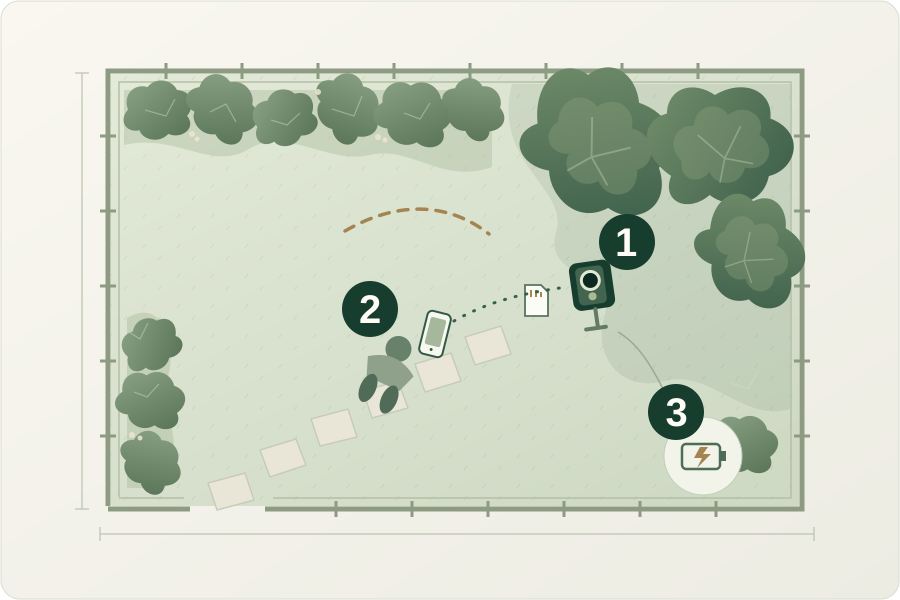
2. A shaded corner beyond reliable Wi-Fi
-
Local recording
Choose a position you can safely reach for card, seal and battery checks.
-
Nearby retrieval
Approach the camera for the local phone connection. This is not viewing from anywhere.
-
Charging plan
Monitor the battery trend. Do not assume shade or winter light will support solar-only operation.
Original planning illustration. Not to scale; shade is illustrative, not a solar-performance measurement. Charging symbol is a reminder, not an included accessory or wiring plan.
Local workflow: consider Helarctos if visits for downloads and power checks are practical. A local hotspot does not turn a weak home connection into remote internet viewing.
Shade and winter light make power planning important. Start with a full charge, review the first recordings, and watch the battery trend before extending the gap between visits. Budget time for charging or compatible backup cells; do not assume solar removes maintenance. The winter solar checklist explains what to monitor.
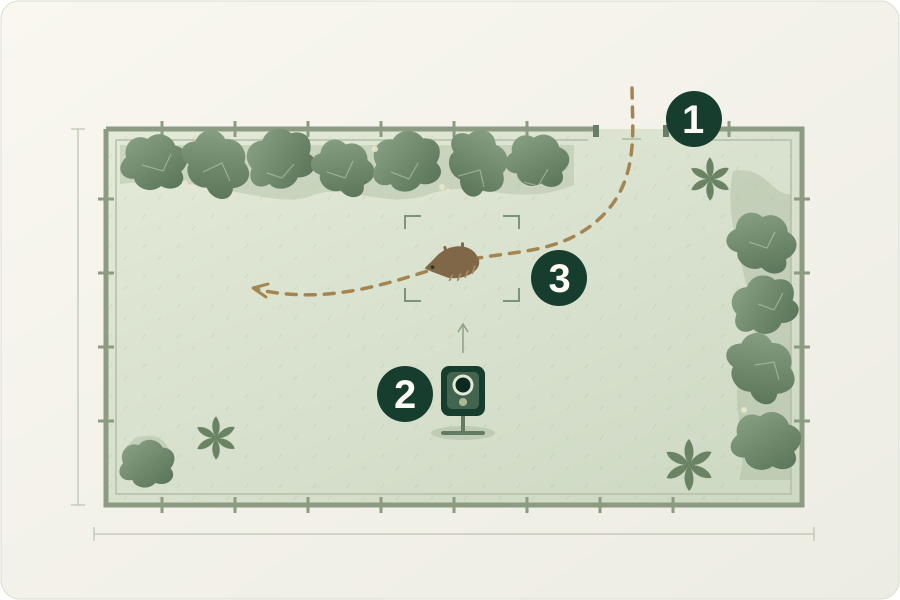
3. A hedgehog route along a boundary
-
Existing passage
Keep the route unobstructed. This diagram does not instruct you to create a new opening.
-
Stable low mount
Aim across the crossing and check framing. No fixed height or distance is implied.
-
Review the clips
Check night images, partial animals and missed passes. Adjust one variable at a time.
Original planning illustration. Not to scale; no measured camera field of view or detection performance. Generic equipment, not a retail-product image or field-test result.
Position first: use a stable low mount and frame an existing crossing without blocking it. Point across the likely route, then check whether the whole animal remains visible during a pass. Neither diagram nor trigger-speed specification proves that a small animal will be captured.
Choose the connection after finding a safe position: local access if you can visit, or app access if the router reaches. Record misses and night-image problems in the free hedgehog camera-placement worksheet. Do not move a resting animal or disturb a nest to improve the shot.
Helarctos: our pick for local trail-camera use
Helarctos is the option I would consider for an unknown visitor or a route beyond dependable home Wi-Fi. The trade-off is physical access: you need a workable plan for nearby downloads, charging and card checks.
NatureSpy lists 4K video, an IP66 enclosure, and separate trigger speeds of 0.6 seconds for photos and 1.2 seconds for video. These are specifications, not HedgeLens measurements or a guarantee of sharp night clips. Read the Helarctos dossier.
WildCam 3: better for connected monitoring near the house
WildCam 3 suits a garden position you want to check regularly through the app. Convenience depends on a working network and a camera position worth watching; buying Wi-Fi hardware does not fix poor framing or unreliable coverage.
NatureSpy’s current specification lists memory overwrite as “No”. Plan to check free space and save important files rather than assuming old recordings will automatically make room. Its infrared night mode is low-glow, not no-glow. See the WildCam 3 buying notes.
Before leaving WildCam 3 to record
NatureSpy’s app FAQ says WildCam 3 pauses motion recording while you watch its live feed. When you finish, close the app on all viewing devices and allow 30–60 seconds for motion recording to resume. Afterwards, check for a saved clip rather than relying on live view alone.
Check WildCam 3 price at NatureSpy (Ad)
When neither shortlisted camera fits
If you can keep a camera connected to mains power, the Green Feathers WiFi Outdoor Wildlife Varifocal Bullet Camera (4th Gen) is another option to compare. The manufacturer describes live viewing through your home network and an adjustable lens. The product page listed £149 on 14 October 2026; check the current package and any extra cabling before comparing the installed cost.
A fixed, powered position has different maintenance trade-offs from a battery trail camera. Skip this option if you cannot provide a suitable power connection at the position. We have not tested its image quality, network reliability or recording behaviour.
Match the camera to the animal and distance
- Fox or badger route: leave room in the frame and secure the mount against movement. Recheck framing after wind or accidental knocks.
- Bird box: use a close-focus, purpose-built system from the bird box guide; a garden trail camera is not automatically suitable inside a nest box.
- Feeder: prioritise close focus and cleaning access in the feeder-camera comparison.
What matters after the first week
False triggers: keep moving foliage out of the detection area without damaging habitat. Storage: practise saving a complete clip and check available space. Power: review the battery trend, especially in winter. Weather: a casing rating does not remove the need to inspect seals and positioning.
Keep a short setup log: position, settings, obvious missed passes, blank clips, battery level and remaining card space. Change one setting or position at a time so you can tell what helped. For damp or fogged recordings, use the condensation and weather guide. Keep the field of view within your boundary where possible; our garden-camera privacy guide explains the considerations.
Garden wildlife camera questions
Does a Wi-Fi wildlife camera need the internet?
Not always. “Wi-Fi” can mean a nearby connection between your phone and the camera, or a connection through your home router. Helarctos uses the first workflow; WildCam 3 uses the second for connected viewing. A local hotspot is not a cellular service. Read the local Wi-Fi versus internet guide before choosing.
Can I watch my garden wildlife camera while away from home?
Yes, if the camera connects to your home internet and its app supports remote access. NatureSpy describes remote playback and live view for WildCam 3. Helarctos is different: its local Wi-Fi hotspot is for nearby access, not watching from work or on holiday.
Before making the mount permanent, try this simple check:
- Leave the camera connected to your home Wi-Fi at the planned garden position.
- Turn off Wi-Fi on your phone and use mobile data.
- Open the camera app and try both live view and a saved clip.
Check current app requirements and any paid features before buying. Remote access does not by itself guarantee continuous recording or recording during an internet outage.
What is the best night camera for garden wildlife?
Choose for the animal, framing and night-light mode rather than resolution alone. Check full night-video examples from the exact model, including a moving animal, not only a still image. Look for whether the animal stays in frame and whether nearby objects become overexposed. We have not measured either camera’s night-image quality.
Will a solar wildlife camera work in a shaded UK garden?
Do not count on solar alone. Available light, recording activity and season affect the charging balance. Use the shaded-corner plan above, monitor the battery, and keep a practical charging or backup routine. A position good for wildlife footage may not be good for a solar panel.
Can I record without a cloud subscription?
A local card-based workflow lets you retrieve your own files without making cloud storage the centre of the setup. Do not assume every connected-camera feature is free: verify current app terms, export options and any optional paid services before buying. Our microSD versus cloud storage guide helps compare the workflows.
Do trail cameras record continuously?
Do not assume they do. These recommendations concern motion-triggered wildlife observation, not an always-on security recording system. Check trigger settings, clip length, recovery behaviour and storage management in the exact model’s manual. A live-view feature is not proof of continuous recording.
Bottom line
Choose Helarctos for a local recording workflow you can maintain, or WildCam 3 for a connected position with tested home Wi-Fi. Before ordering, settle three things: where the animal crosses, how you will retrieve a clip, and what the selected package actually includes.
Sources and price check
Manufacturer specifications and selected accessory options checked on 4 October 2026: NatureSpy Helarctos product information and NatureSpy WildCam 3 product information. These reference links are untracked. Manufacturer claims have not been independently tested by HedgeLens.